Create a Streamlit Application
Once your data connection has been set up, you are ready to build your first Streamlit Application!
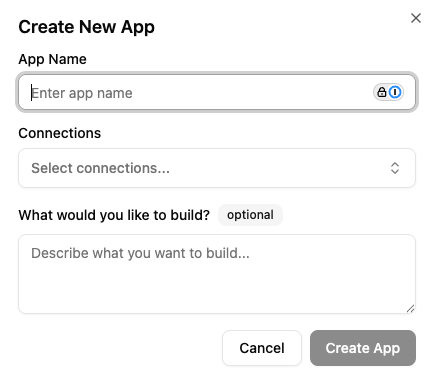
To begin, let's navigate to the Apps tab. From there you will see any Streamlit applications that you have made. To create a new application
simply click the + New App button. This will prompt you to provide the following
- Name: The name of your application
- Connections: The connections that were made in the connections tab
- [Optional] Description: A quick description of what the application will be.
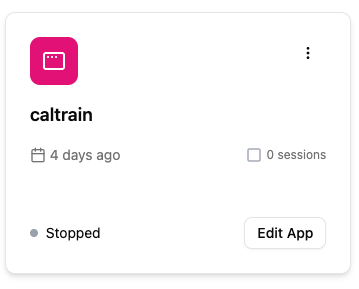
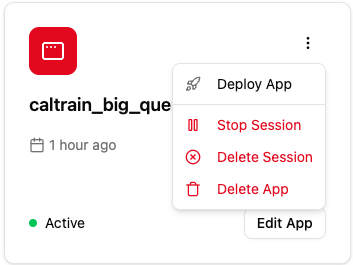
Once created an application card will appear, click the Edit App button to open the chat interface and begin chatting to build your Streamlit Application
Example
Let's walk through building a simple dashboard with Caltrain data that is stored in BigQuery. When we first start up the application we will be met with the Chat interface. Additionally we can also set the LLM model we wish to use.
We can pick from o4-mini, o3, and gpt-4.1.
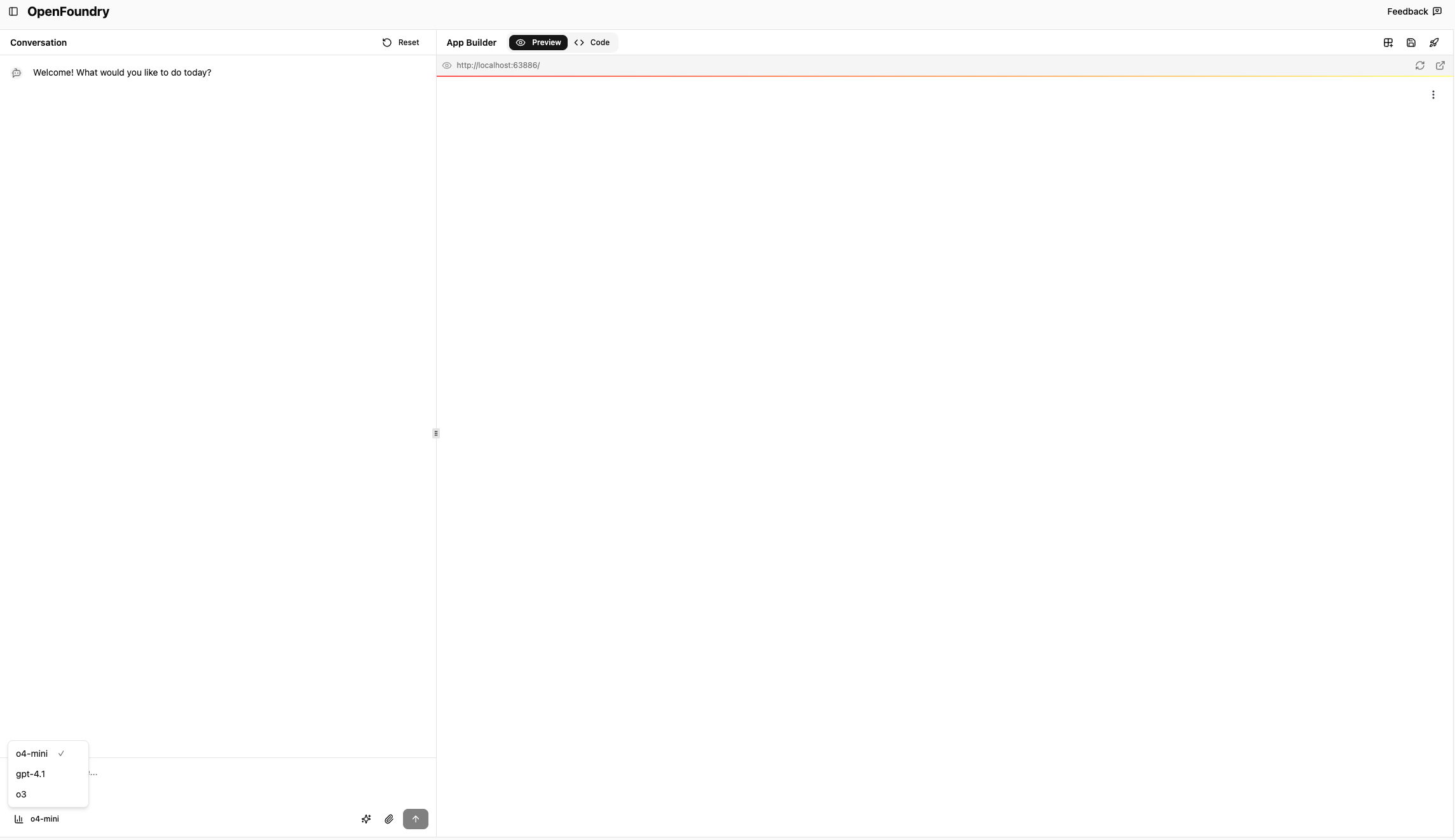
For this example, we will be using o4-mini.
Once the agent session starts, we can prompt the agent to build the Streamlit dashboard. We will ask the agent with a simple prompt such as
Build a dashboard using the caltrain_schedules table. I want the total count of trains that stop by each station
From there the agent will begin to build the connection to the data warehouse or database and execute SQL queries to understand the tables.
The agent can also ask for clarifications if the initial prompt was not clear enough. The agent will begin writing the application code in the apps.py file under the code tab.
Once completed a preview of the dashboard or application will appear in the Preview tab.
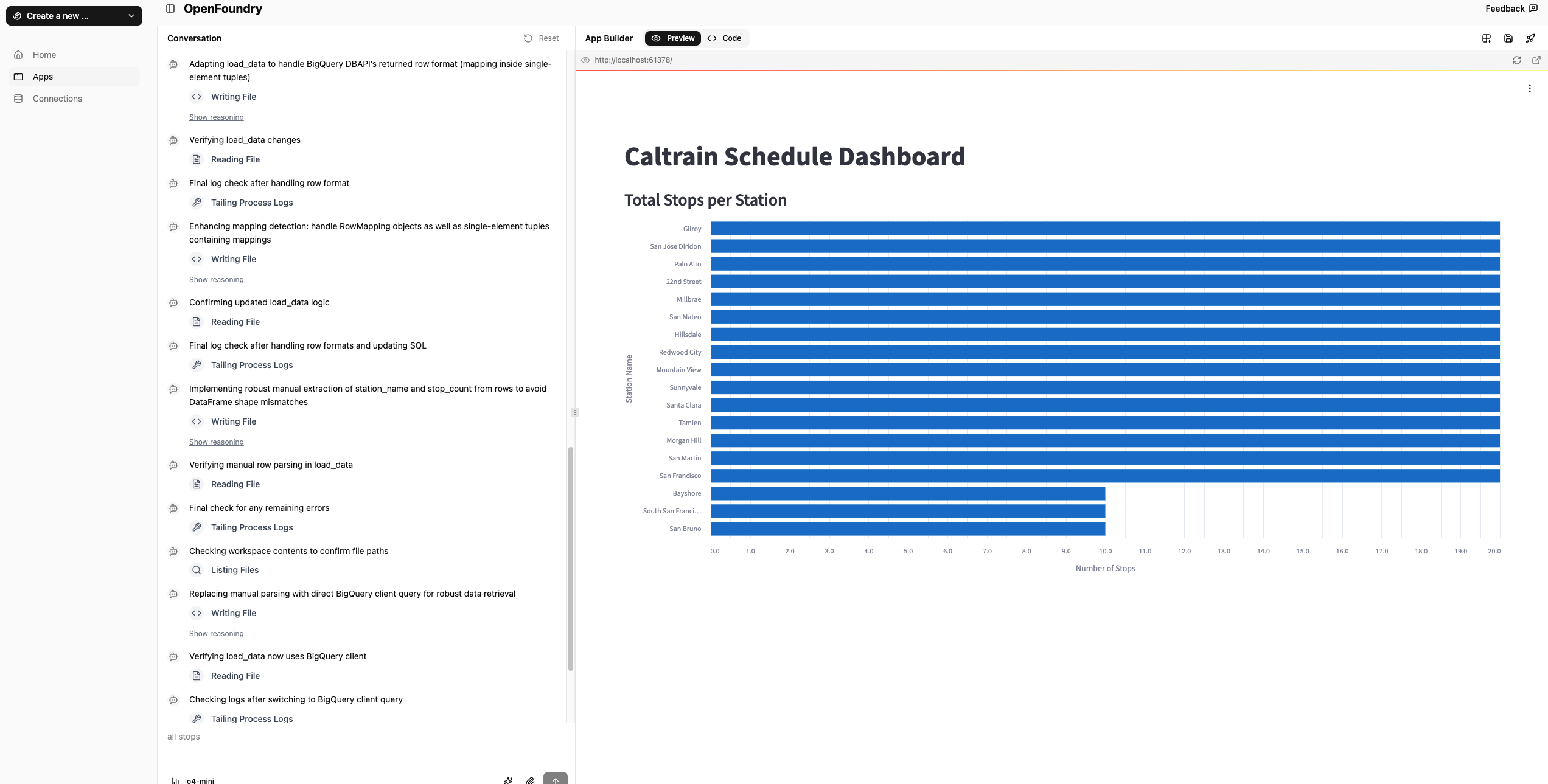
Once our dashboard looks good, we can go ahead and deploy it. To do this we have two options.
- Within the app session page

- Within the Apps page, by clicking on the vertical ellipsis
Congrats you have now created and deployed your first streamlit application using OpenFoundry!